
You buy coins, you sell coins, and the big question stays the same. Did you gain or lose? In crypto trading, this is what you should always ask yourself before you move to the next step. If you don’t calculate your crypto profit and loss properly, you won’t know what actually happened with your trade. Sometimes it feels like profit, but when you subtract fees and slippage, the number tells a different story. Let me walk you through the full picture.
Why You Need to Track Profit and Loss in Crypto
The point is simple here. You are trading to make a return, not just to see the price go up and down. When you track profit and loss:
- You can see which trades worked and which didn’t
- You stay prepared for tax filing later
- You avoid making random emotional decisions
- You know where you went wrong and where you did well
- You can take better positions based on past data
Let’s be real, many beginners don’t even notice they are trading at a loss until they check after a month. That’s where tracking helps. And not just one or two trades. Even small profits can build up over time if tracked properly.
Basic Profit and Loss Formula
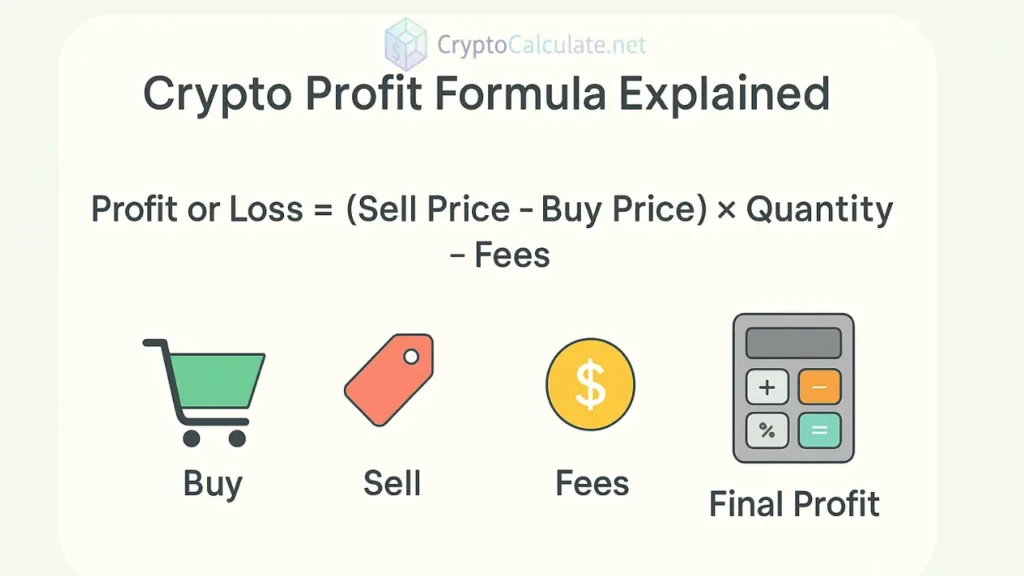
You can try this first. Use this formula:
Profit or Loss = (Sell Price – Buy Price) × Quantity – Trading Fees
Now here’s the thing. Fees make a big difference, especially in small trades. Let’s say:
- You bought 0.2 ETH at $2,000 = $400
- You sold 0.2 ETH at $2,150 = $430
- Fee = $5
Then:
Profit = (2,150 – 2,000) × 0.2 = $30
Final profit after fee = $30 – $5 = $25
If you skip fees, you’ll think it’s $30 profit, but actually it’s less. This looks small now, but imagine trading 20 times a week. The wrong calculation will snowball.
Realised vs Unrealised PnL
You must have noticed in apps like Binance or WazirX, there’s always two numbers shown, Realised vs Unrealised PnL:
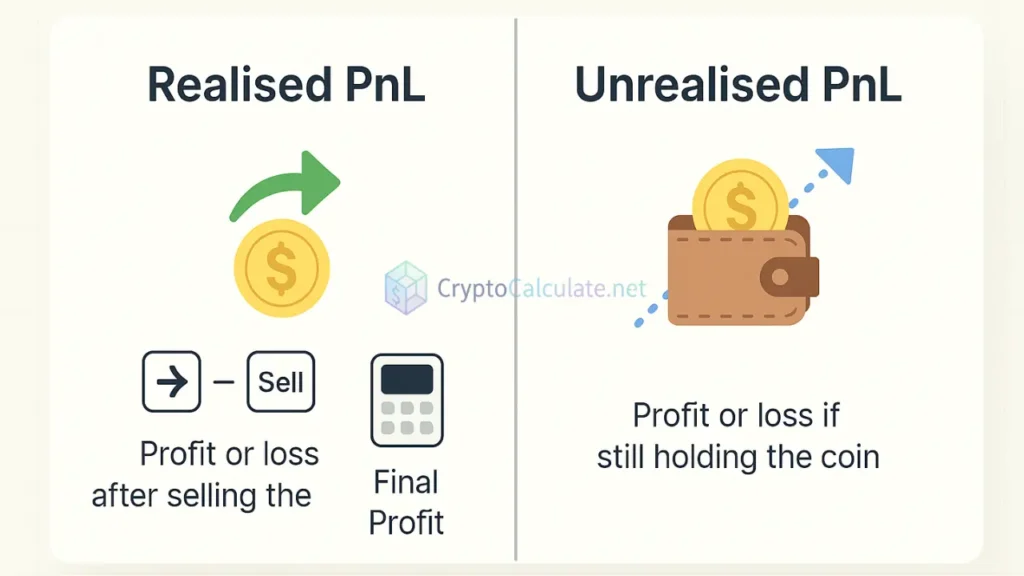
- Realised PnL: Profit or loss after you sell the coin
- Unrealised PnL: Profit or loss if you’re still holding it
You may think your portfolio is growing, but till you sell, it’s not locked in. That’s why I said this before. You should calculate both. I usually keep a rough idea of unrealised profit daily, but I only celebrate when it gets booked.
Sometimes the market pumps and you feel rich. But it can dip overnight. So make sure you don’t mistake unrealised gains for final results.
Spot vs Futures Trade P&L
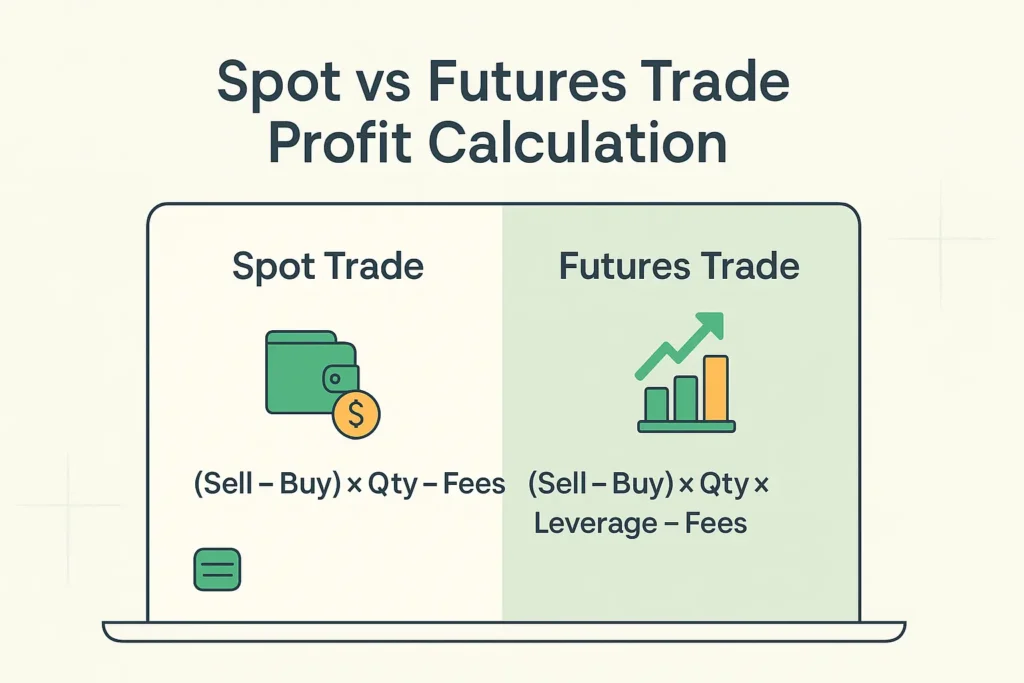
You already know this. There are two types of trades mainly. Spot is regular buy-sell. Futures is trading with leverage. Both need separate methods. And you know what, mistakes here cost a lot more.
Spot Trade
It’s easy. You can follow the basic formula.
Example:
- Buy 1 MATIC at ₹60
- Sell at ₹75
- Fee = ₹1
PnL = (75 – 60) × 1 – 1 = ₹14 profit
You can do this quickly using any calculator. If you do more than 5-6 trades a week, make a habit of logging these.
Futures Trade
This is where many people go wrong. In futures, you also multiply with leverage.
Formula:
(Sell – Buy) × Quantity × Leverage – Fees
Example:
- Buy BTC at $28,000
- Sell at $29,500
- Leverage = 5x
- Quantity = 0.05 BTC
- Fee = $10
PnL = (29,500 – 28,000) × 0.05 × 5 = $375 – $10 = $365
But be careful at this step. If the price had dropped, the loss would also be 5x. That’s why most platforms show a liquidation price. Go near that and your money is gone. So don’t go full leverage unless you can afford risk.
Other Factors You Should Count
What you need to understand is this. Some small things change the PnL amount.
- Network fees if you’re transferring to wallets
- Slippage if you’re trading in low liquidity
- Tax deduction in some countries on every sale
- Swap rates on DEXes
You should also know these impact final profit. I usually follow this trick of adding ₹10 buffer in small trades for such issues.
Another point many skip is price impact. If you place large orders in low-volume coins, your trade may get executed in parts at different rates. This changes your actual buy or sell average.
Tools You Can Use to Calculate
You can do this easily at home. These are good options:
- CryptoCalculate.net – Fast tool to input your buy, sell, quantity, fee
- CoinMarketCap Portfolio – Good for tracking across coins
- Delta App – Mobile tracking with alerts
- Koinly – Tracks PnL and taxes together
- CoinTracking.info – Good for traders with 100+ trades a month
One thing you can try is to use Google Sheets if you trade less. Just enter each trade in rows. Add columns for buy date, sell date, price, quantity, fees, and result. You can make a running total column also.
Average Buy Price Calculation
If you bought the same coin at different rates, then calculate average buy price:
Formula:
(Total Buy Amount) ÷ (Total Quantity Bought)
Example:
- Buy 0.1 BTC at $30,000 = $3,000
- Buy 0.2 BTC at $28,000 = $5,600
Total = $8,600
Total Quantity = 0.3 BTC
Average Buy = $28,667
This is your new cost base. Use this for calculating future profits. It matters more if you are dollar-cost averaging (DCA). I usually buy ETH every month, so this method gives me clarity.
Common Mistakes to Avoid
Don’t take it lightly. These are common:
- Skipping fees or taxes in PnL
- Confusing realised and unrealised
- Not using average price
- Relying only on app values
- Forgetting date/time for tax logs
- Counting reward tokens without checking their value properly
- Using screenshots as proof without backing data
I was like, wait, I made ₹3,000 profit. But I forgot to count ₹400 fees and ₹300 network gas. So actual was only ₹2,300. It happens. That’s why I export my history every weekend.
Quick Table for Summary
| Trade Type | Method | Important Point |
|---|---|---|
| Spot | (Sell – Buy) × Qty – Fees | Basic and clear |
| Futures | (Sell – Buy) × Qty × Leverage – Fees | High reward, high risk |
| Unrealised | (Current Price – Buy Price) × Qty | Changes every second |
| Realised | Booked only after sale | Used in final tax reporting |
FAQs
Q. Can I calculate profit without selling the coin?
Yes, that’s unrealised PnL. But it may drop later. You can track it daily using apps or tools like CryptoCalculate.net. It’s useful when planning your next move, but don’t count it as final until you actually sell the coin. If you’re holding for the long term, keep noting the price changes weekly in a small table.
Q. Do apps show correct profit always?
Not always. You should use a manual tool to double-check. Some exchanges don’t subtract fees properly or mix old trades with new ones. What I do is export the trade list and calculate once a week myself. You may laugh but it actually works better than relying on just the app numbers.
Q. What if I buy same coin at different prices?
Use average buy price to calculate. This is common in dollar-cost averaging. Make sure to include all your entries and don’t forget fees on each buy. You can maintain a running average sheet. Try using a colour code to mark each entry in Excel.
Q. Is it necessary to count small network fees?
If you’re trading large, maybe not. But in small trades, it matters. ₹20 fee on a ₹500 trade is 4%, which is high. These fees add up in long term. I keep a separate column for such costs. One small mistake many people make is skipping these.
Q. Can I use Excel for this?
Yes, and many students I know use Google Sheets also. You can build formulas to automate profit per trade, total profit, fee summaries, and even portfolio charts. Try a readymade crypto sheet template to start. Some even track INR vs USD profit on the same sheet.
Q. Should I calculate profit in INR or USD?
That depends on where you file tax. But always stay consistent. If you start in INR, stick to INR for reports. You can use CoinGecko or TradingView to get historical INR rates. Just check this once before calculating.
Q. Can staking rewards be included in this?
Yes. When you receive them, mark them as income. When you sell, use buy value = ₹0 or market rate at receipt. Some people forget to record the time they received the staking reward. Just note the value on that date so it stays clear. You may also want to add it as a separate row in your tracker for clarity.
Checklist Before You Close the Trade
- Note buy price, quantity, fees
- Note the sale price, time
- Use the correct formula for spot or futures
- Track realised and unrealised separately
- Keep screenshots or history for tax
- Calculate the average buy if you did DCA
- Mark all staking or airdrop tokens with the date
That’s the end of this step. You can repeat this part every time you trade. Try it on your own with 1-2 coins first. Then slowly track your full portfolio using tools. Once you get used to this, it becomes a habit like checking your bank balance. And trust me, it brings peace of mind.